How to Get a Klei Server Token and Make Your DST Server Public
A Don't Starve Together (DST) server only shows up in the in-game server list when it runs with a server token from Klei. The token is free, takes a minute to create and belongs to your own Klei account.
1. Create a token on the Klei website
- Open the Klei server tokens page and sign in — your Steam account works.
- Under Add New Server, type any name into Cluster Name (it is only a label for you) and click Add New Server.
- The new server appears in the Servers list, with its token under the expiry date. The token starts with
pds-g^and is long — copy the whole line.
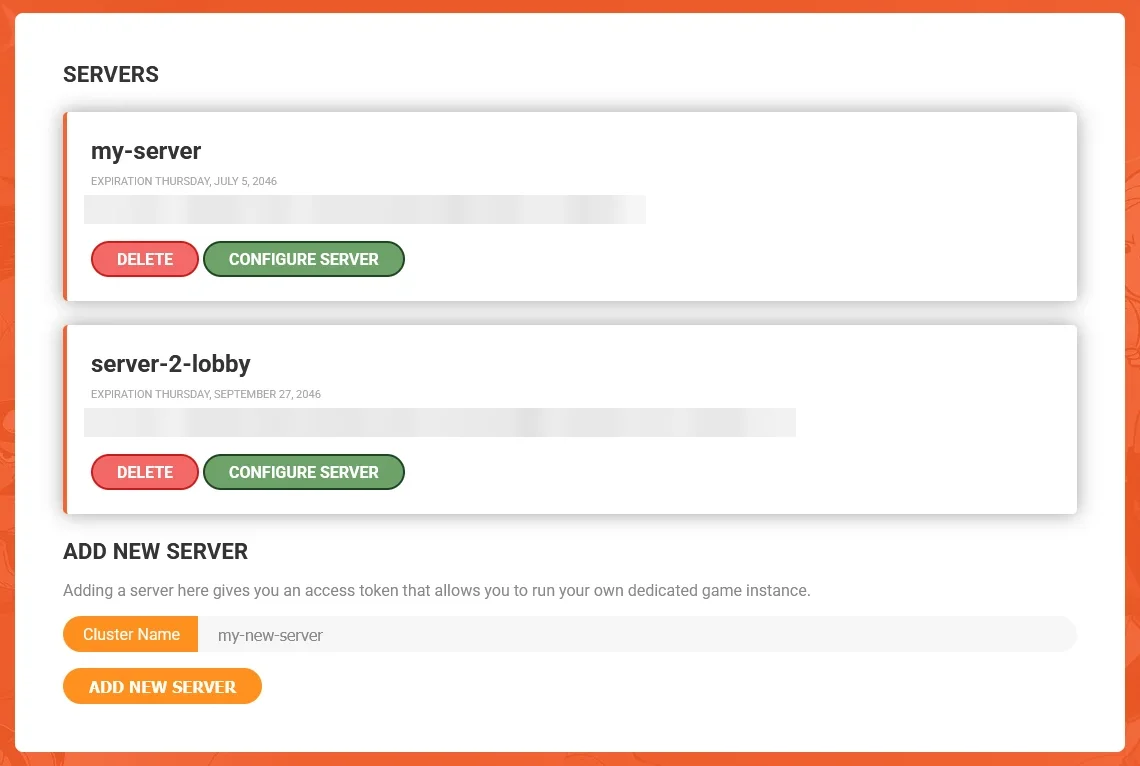
You don't need Configure Server or Download Settings on that page: the Lobby Maker panel manages those settings for you.
The token works like a password: anyone who has it can run servers under your Klei account. Don't share it or show it in screenshots. If it leaks, click Delete next to it on the Klei page and create a new one.
2. Paste the token into the panel
- Open your server in the Lobby Maker panel and go to the Startup tab.
- Replace the content of the Server Token field (
insert-your-token-hereon a new server) with your token. - The field saves on its own — then restart the server.
On every start, the panel writes the token into DoNotStarveTogether/config/server/cluster_token.txt. Always change it in the Server Token field: if you edit that file directly, the next start overwrites your change.
3. Find your server in the game
- Give the server a minute or two after it has started.
- In DST, click Browse Games in the main menu and search for your server's name.
The name, description, player limit and game mode come from the Cluster Name, Cluster Description, Max Players and Game mode fields in the Startup tab. Change them there — like the token, they are rewritten on every start.
4. The server is not in the list?
- The game has updated. After a DST update, a server still running the old version disappears from the list. Check that Auto-update server in the Startup tab is set to
1and restart the server: it updates itself on start. - The token is wrong. If the console shows
E_INVALID_TOKEN, copy the token from the Klei page again (the whole line, with no spaces), paste it into Server Token and restart the server. - It is still starting. A new server can take a few minutes to appear. Refresh the list and search for the exact server name.